Fast intake + vitals
Register a new patient or find a regular in seconds. Vitals auto-link to their record.
Walk-ins, phones, vitals, the queue, payments and medicines, often for several doctors at once. Prescr replaces the register and the loose sheets with one connected screen that keeps up with a real OPD.
A fresh vitals sheet for every visit, with no link to the patient's history, even for regulars.
Vitals go straight onto the patient's record; returning regulars are recognised the moment you search their name or number.
Walk-ins, "appointments" and phones all at once, everything tracked in a register.
A live token queue built for walk-ins, plus appointments and automated reminders when you need them.
Billing, collections and medicine handout all done by hand, sometimes for several doctors.
Billing, payments, day-end totals and pharmacy dispensing, from the same screen, for every doctor.
Register a new patient or find a regular in seconds. Vitals auto-link to their record.
A live token list built for walk-ins, not a Western calendar. Move patients along with a tap.
Appointments plus automated SMS/phone reminders, with the patient's context on hand for every call.
Raise invoices, collect payments and see day-end totals, no separate register.
Collect UPI, cards and payment links straight from the bill, without separate gateway setup. Applicable payment fees are shown before payment.
Dispense medicines against the prescription, with basic inventory tracking (rolling out).
Route patients to the right doctor's queue and bill across all of them from a single screen.
Most patients are walk-ins, and even "appointments" mean waiting for your turn. Prescr treats the day as a queue, not a calendar, so the desk always knows who's next, for which doctor.
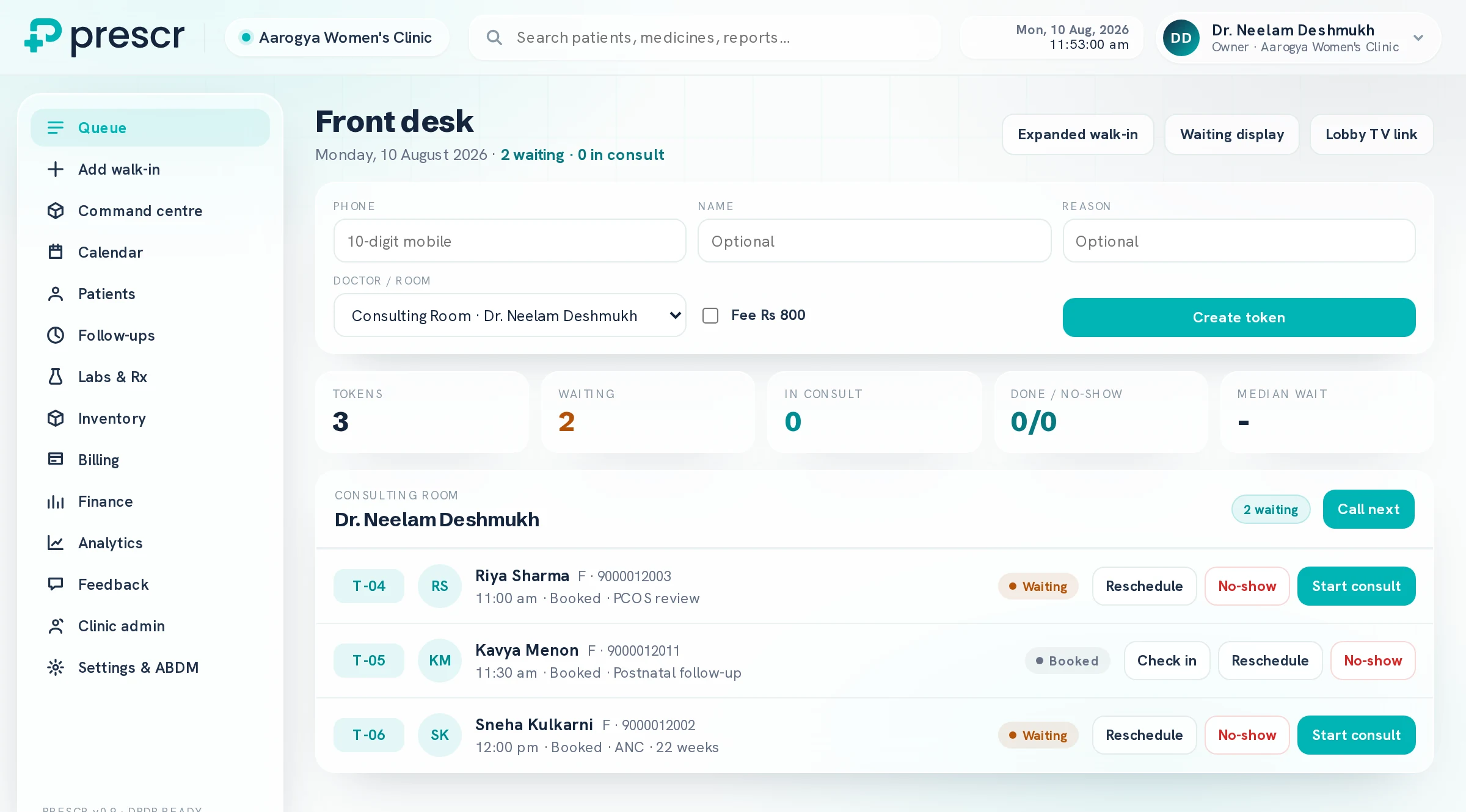
Swipe to see the whole screen
Book a walkthrough of the front-desk flow. We'll set your desk up personally, hands-on.